
The chart editor that thinks in stitches.
Place crochet stitches, shape them with direct handles, and arrange them along guides for rows, rounds and curves. StitchPress brings crochet and knitting charts into one tool, made for the designers who write the patterns.
Watch the 5-minute tourWe started from the stitch.
In StitchPress, double crochet, single crochet, and chain stitches each have their own symbols. Place them on the canvas, adjust them with handles, and snap them to guides to arrange your chart.
Because the canvas understands what you’re making — rows, rounds, increases, decreases — your chart stays true to the work, and you stay in the flow of designing.
A five-minute tour of the editor.
Place and shape stitches, work in the round, add increases and chart along a curve. Then export, share and turn your chart into a printable pattern. Recorded in the live app.
Shape the stitch, not a bounding box.
Grab a handle on the stitch and drag to adjust its shape. The controls sit on the stitch itself, so you can fine-tune it directly instead of resizing a surrounding transform box. Shape each stitch to fit the chart you’re making.
Read how tops and bases workRows, rounds, and everything in between.
Guides match how crochet actually grows: a line for a row, concentric rings for working in the round — amigurumi, tubes, mandalas — and arcs for granny squares. Add “6 dc in the ring” in one move and they space evenly and face the right way. One click distributes a round perfectly; nudge to fine-tune.
Read how guides workChart along any curve.
Rows and rounds are just the start. Lay stitches along a freeform curve for spirals, shawls and organic shapes — and they still face the right way.
Read about the Bézier curve guideColorwork charts that read like knitting.
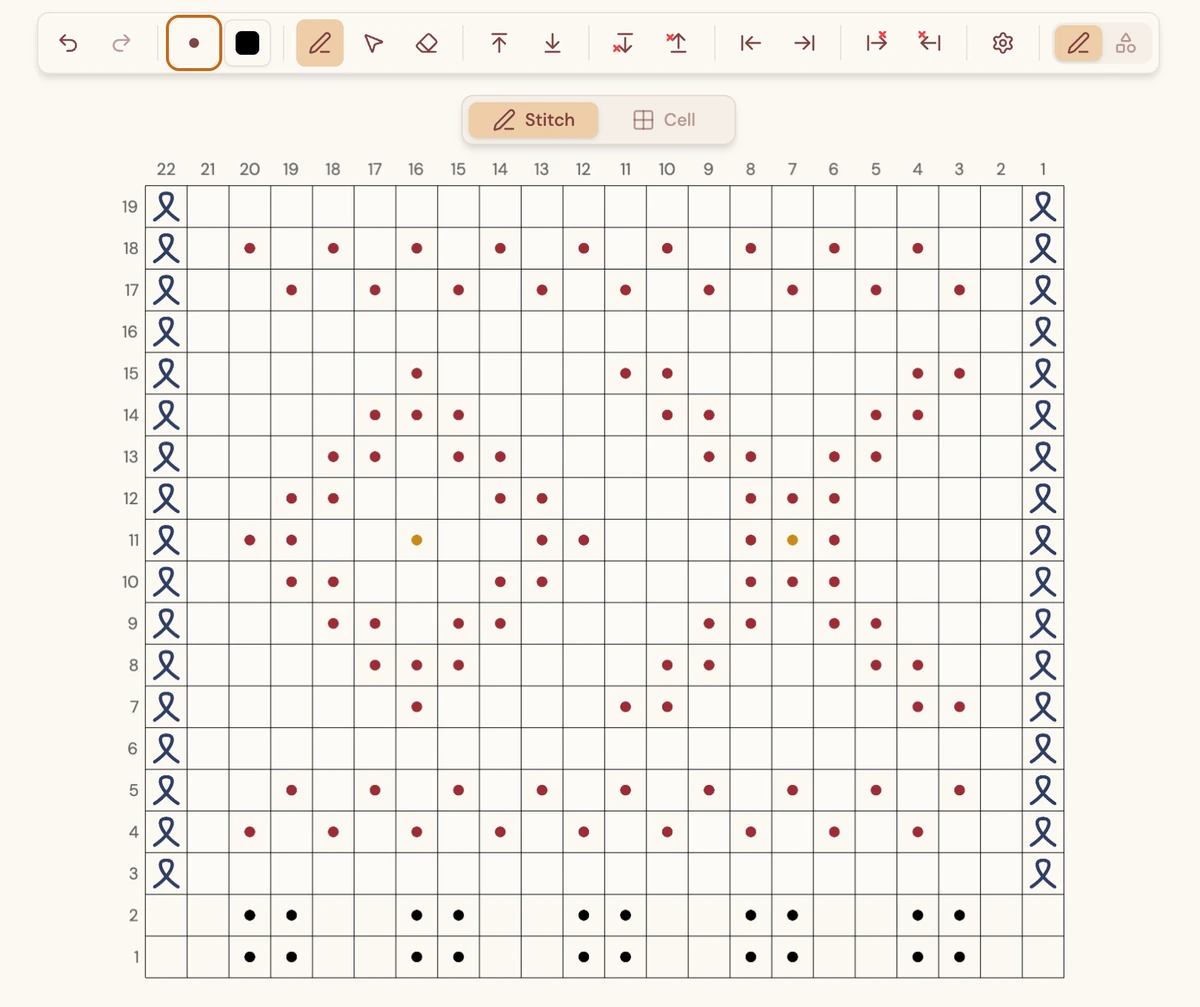
Build fair isle, mosaic and intarsia charts on a true stitch grid with per-cell color and proper knit symbols — knits, purls, slips, twisted stitches and more. Charts read right-to-left, the way knitting charts do.
Work in progress. A heads-up: the knit editor is in the app today — charting, sharing and view-only links all work — but it’s still a step behind the crochet one, and we’re polishing it as we go.
The tidy-up, handled.
In progressFeatures marked “In progress” are being built right now.
A legend that can’t drift
In progressYour symbol key is built automatically from the stitches you actually used — so it’s never out of date, and you never type it by hand.
Written instructions, generated
In progressTurn a chart into “Round 1: 6 sc in ring” written instructions in one move — crochet and knit alike, with increases and decreases spelled out. Copy it straight into your pattern.
A pattern you can hand out
In progressThe Pattern editor turns the chart into the finished thing: write your instructions in a proper text editor, drop in your diagrams and photos, and export a clean PDF for your shop, your blog, or your binder.
Saved, synced, shared
Your work saves to your account as you go and follows you between devices. Share a chart with a view-only link, or invite people by email — and let them save a copy if you choose.
Read how sharing worksA web app that goes where you do.
StitchPress runs in any modern browser with full touch support, so charting feels natural with a mouse, a trackpad or your fingers. Every feature is on every device — nothing is locked away on a smaller screen.
Deep dive: how StitchPress handles mouse, trackpad and touchDesktop
RecommendedThe most room to work, with precise pointer control for fine adjustments.
Tablet
RecommendedA generous canvas plus natural touch — a sweet spot for charting on the go.
Mobile
Fully supportedThe complete toolset in your pocket — every stitch and guide, on a smaller screen.
touch_appTouch is a first-class input here, not an afterthought. We recommend a desktop or tablet for the roomiest experience, but mobile gives you the full StitchPress — no missing features.
It’s early — and we want your eyes on it.
StitchPress is in active development and still invite-only. Your diagrams save to your account, sync between your devices, and share with a link when you want them to. Your designs are yours — we're not doing anything with your patterns.
mailJoin the WaitlistWe'll reach out to a small handful of crochet and knit designers to chart a real pattern and tell us, bluntly, where it gets in the way.